Effects
Liquid Shapes
Live vector metaballs — separate drawings melt into one gooey body, carve into each other, and boil, while staying real editable vector geometry.
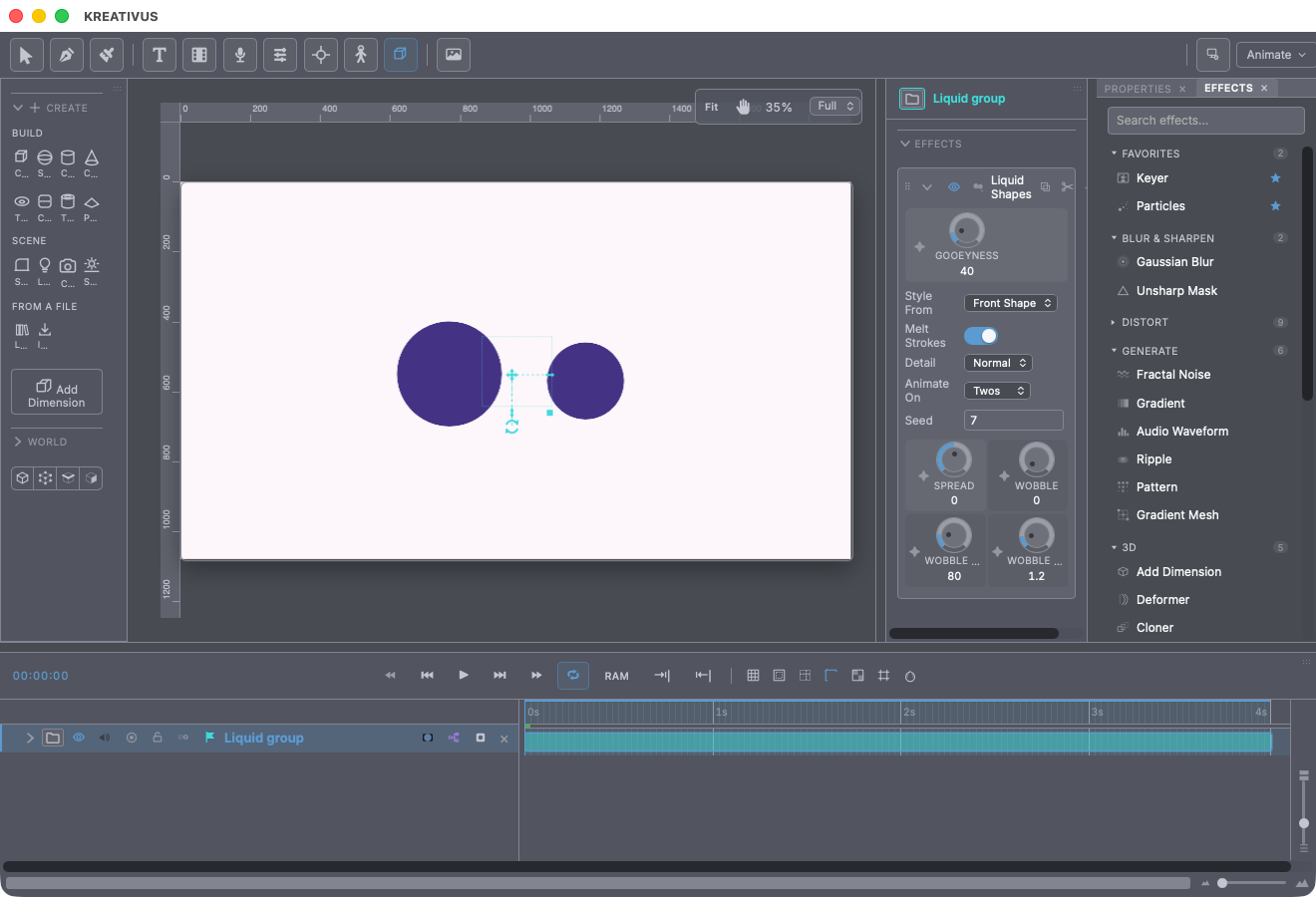
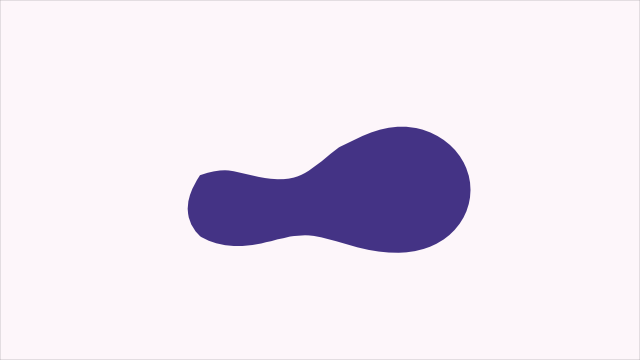
Liquid Shapes turns separate drawings into one liquid. Bring two shapes near each other and a gooey neck pulls between them; overlap them and they melt into a single smooth body; pull them apart and the drop snaps free on its own. It’s the effect behind blob characters, ink merges, lava lamps and liquid logos — the feature Moho users know, rebuilt without its famous pain points.
Two things make this one special:
- The output is real vector geometry, not pixels. The melted contour is handed to the same renderer your drawn shapes use — so the goo takes fills, gradients, strokes, dashes and every downstream effect exactly like hand-drawn art. Zoom in forever; it stays crisp.
- It works across layers. Put the effect on a group, and the group’s members become the liquid. Each layer keeps existing — animate them separately, and the liquid follows.
And the family promise holds: the result is a pure function of the geometry and the dials at each frame. No stepped simulation, no drift — scrubbing lands on identical shapes, export matches preview.
Gooeyness — the one dial

The master dial, in pixels: how far apart two shapes can be and still pull a neck between them (about half this distance), and how round the melt is where they meet. Zero is a hard boolean union; high values make everything reach for everything. All the melting answers to it.
Spread inflates (+) or erodes (−) the whole surface — ink coverage for a fat blob character, or a skinny deflate for drips.
Every layer plays a role
Each layer inside the liquid group has a Liquid setting in its properties:
- Adds (default) — pours its drawing into the liquid.
- Carves — eats into it: a cookie-cutter that travels with the layer. A donut-shaped carve bites a ring.
- Ignored — sits the melt out and draws normally.
Roles are order-free on purpose. In Moho, stacked boolean modes made shape order load-bearing — its forums call that the feature’s biggest time sink. Here a carve is a carve wherever the layer sits in the stack.
One liquid is one material, so the members’ own fills dissolve into it — Style From picks whose ink the merged body wears (front shape or back shape), explicitly rather than by accident.
The boil
Three dials put life on the surface: Wobble (displacement in pixels — zero is a still liquid), Wobble Size (feature size) and Wobble Speed (cycles per second). Animate On holds the wobble on ones, twos or threes so the boil pops like drawn work instead of gliding — and it only quantises the wobble clock, so keyframed motion through the liquid still tweens smoothly. Seed re-deals the wobble field.
The practical switches
- Melt Strokes — open stroked lines join the liquid as tubes at their own drawn width (width-tool shaping included). Turn it off to limit the melt to filled shapes.
- Detail — how small a feature the melt can find (a thin neck, a fine ripple). The outline lands exactly on the true surface at every setting — Draft is just faster at finding less; use it for heavy scenes.
Recipe — a blob character. Draw a body, a head and two hands as separate layers in a group. Liquid Shapes on the group, Gooeyness ~60, Spread +6. Now animate the layers’ positions — the character stays one connected, stretching body while each part moves on its own keyframes.
Recipe — text that pours. Put a text layer and a few ellipse “drops” in a group with the effect. Animate the drops falling through the text: they neck onto the letters, merge, and drip off — the letters themselves are members of the liquid.