Effects
Particles
The universal particle system — emitters, glyphs, layer sprites, trails, a floor and an attractor, driven by closed-form physics that never desyncs.
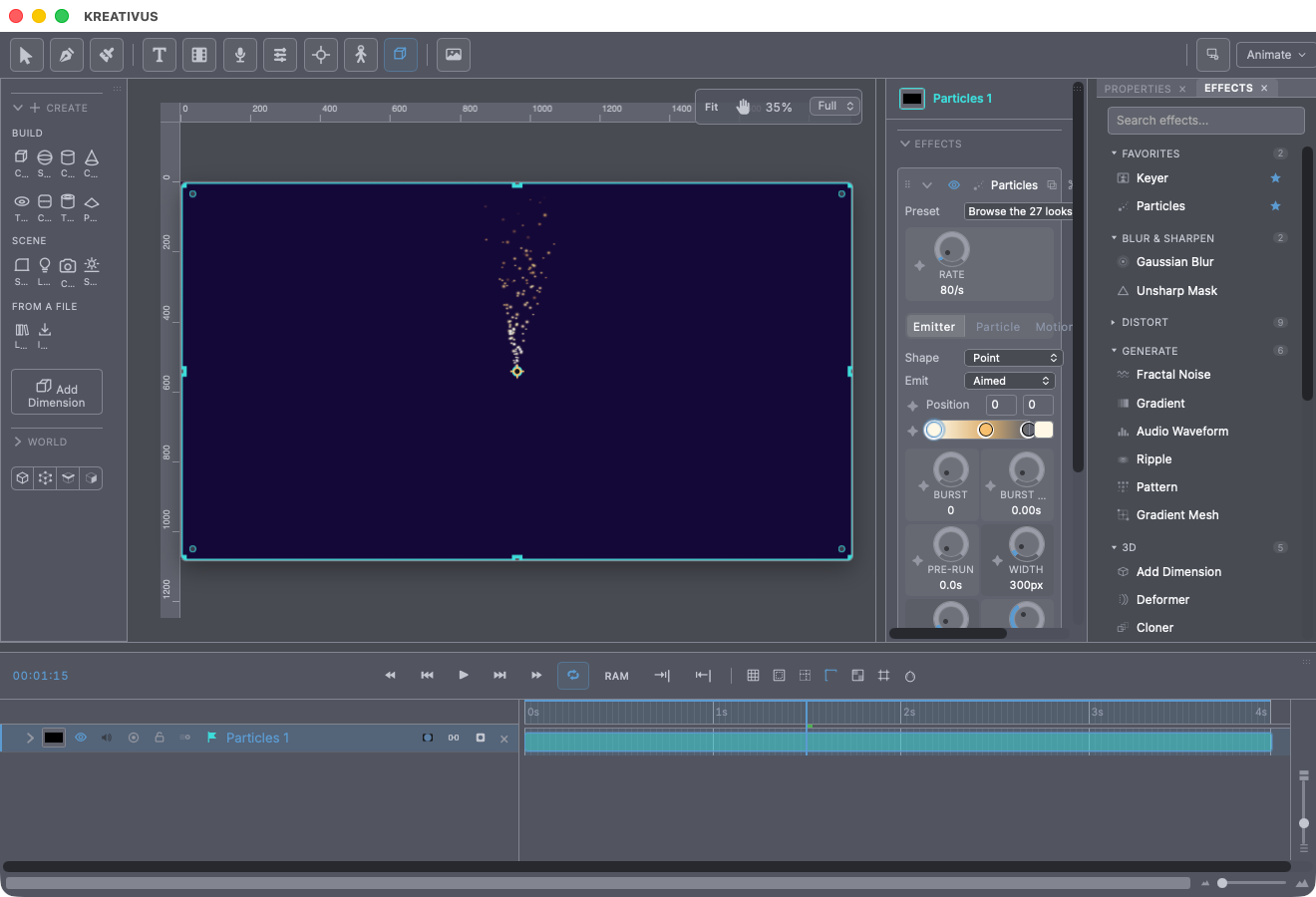
Particles is the app’s universal generative system — the same class of tool as Trapcode Particular. Sparks, smoke, snow, confetti, magic dust, fireworks, swarms: one effect, five tabs of controls, 27 presets to start from. Apply it to a layer (or press ⌘K, type “part”, Enter with nothing selected — it’s a standalone effect, so it will happily make its own layer).
Two promises the whole system keeps:
- It never desyncs. Every particle’s whole flight is computed fresh from the seed, the particle’s number and the frame — there’s no running simulation to corrupt. Scrub backwards, jump around, reopen the file: frame 200 is always the same picture, and the export always matches the preview.
- The preview tiles are honest. The preset browser’s animated thumbnails are rendered by the same engine that renders your comp, just smaller.
One consequence worth knowing: because physics is recomputed from scratch each frame, keyframing a force (gravity, wind, turbulence) re-shapes the whole existing arc rather than bending it from that moment on — the exact trade Particular makes, and the price of perfect scrubbing.
Start from a preset
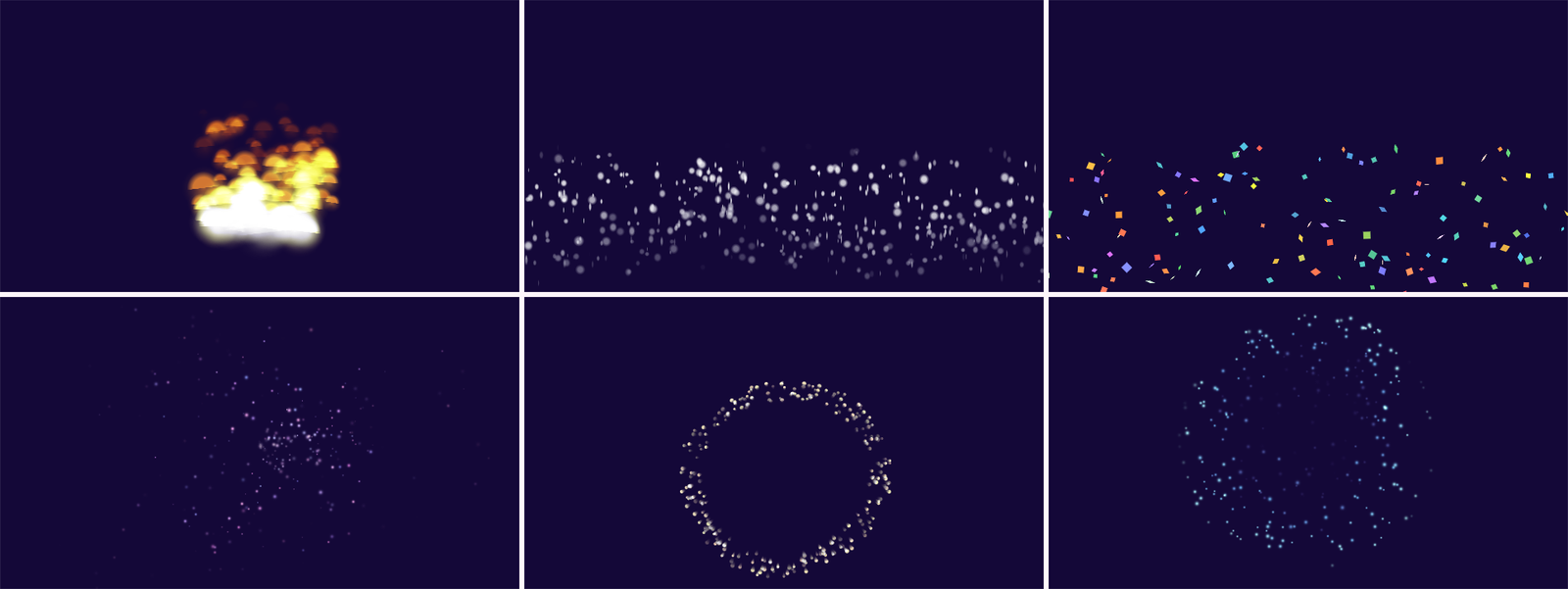
The Preset row at the top opens the browser — 27 complete looks in five families:
| Family | Looks |
|---|---|
| Fire & Light | Fire, Embers, Sparks, Explosion, Firework Burst, Fireworks, Comet, Energy Stream |
| Air & Smoke | Smoke, Steam, Dust Motes, Bokeh, Ash |
| Magic | Magic Dust, Fairy Trail, Fireflies, Twinkle, Portal, Vortex |
| Nature | Snowfall, Falling Leaves, Petals, Bubbles, Underwater |
| Celebration & Motion | Confetti, Speed Lines, Starfield Warp |
A preset is a complete look — it sets the emitter, the shape, the physics and the colors together, from a clean slate. Your shot-level decisions survive it: the seed, the emitter position, On Transparent, Amount, and any layer wirings stay put, so trying looks on never moves the emitter off the thing you aimed it at.
Rate — the master
Above the tabs sits Rate: particles born per second, the one control everything else answers to. Keyframe it for build-ups and dying gusts. What’s alive at once is roughly Rate × Life.
Emitter tab — where they’re born
Shape picks the birthplace: a Point, a Line, a Box, an Ellipse (fills its area), a Ring (births only on the rim) — or Layer Outline, the headline trick: particles emit along a drawing’s own outline. Point it at This Layer and a drawn heart sheds sparkles from the heart itself; point it at any other layer to keep the emitter and the artwork separate. Position and the Width/Height dials place and size the geometric shapes; for a Layer emitter, Position becomes an offset so (0,0) means “exactly where the drawing sits.”
Emit picks the direction newborns set off:
- Aimed — follows Direction ± Spread (the cone controls).
- Both Ways — aimed, with every other particle flipped. The classic energy-beam spray.
- Everywhere — ignores aim entirely.
- Outward / Inward — follows the emitter’s own edge: radially from a point, perpendicular to a line, out of a drawn path. This is what makes an outline shed.
The Flow group adds a Burst (particles all born at once at Burst Time — an explosion is a burst with Rate at 0; a shell trail is a burst on top of a rate) and Pre-Run: seconds of emission already behind the system at the start, so a scene can open mid-snowfall instead of visibly filling up.
Launch sets Velocity (px/s) with Vel Random spread, and Inherit — how much of the emitter’s own keyframed motion a newborn keeps. At 100% particles get thrown the way the emitter is moving (the sparkler gesture); negative values leave them streaming behind.
Particle tab — what one particle is
Shape picks the glyph. All the procedural ones are drawn analytically, so they stay crisp at any size:
| Glyph | Reads as |
|---|---|
| Glow (default), Sphere | Soft light / hard dot |
| Streak, Spark | Exposure smears — bright head, fading tapered tail |
| Star, Polygon (3–12 sides), Ring, Bubble | Graphic shapes — Polygon at 4 sides is the confetti quad |
| Puff | The smoke primitive — a soft ball broken up by per-particle noise |
| Layer | Any layer’s rendered pixels stamped on every particle |
Layer is the open-ended one: pick a Sprite layer — a doodle, text, an image, even video — and every particle wears it. Sample chooses Current Frame (an animated source animates inside every particle at once) or Frozen at a chosen frame. The sprite is tinted by the color gradient; keep the gradient white to leave it alone.
Color is a full gradient, and Color Use decides how it’s read:
- Over Life (default) — left end is birth, right end is death, alpha included. The gradient is the animation; the default warm-ember ramp fades out through its own alpha.
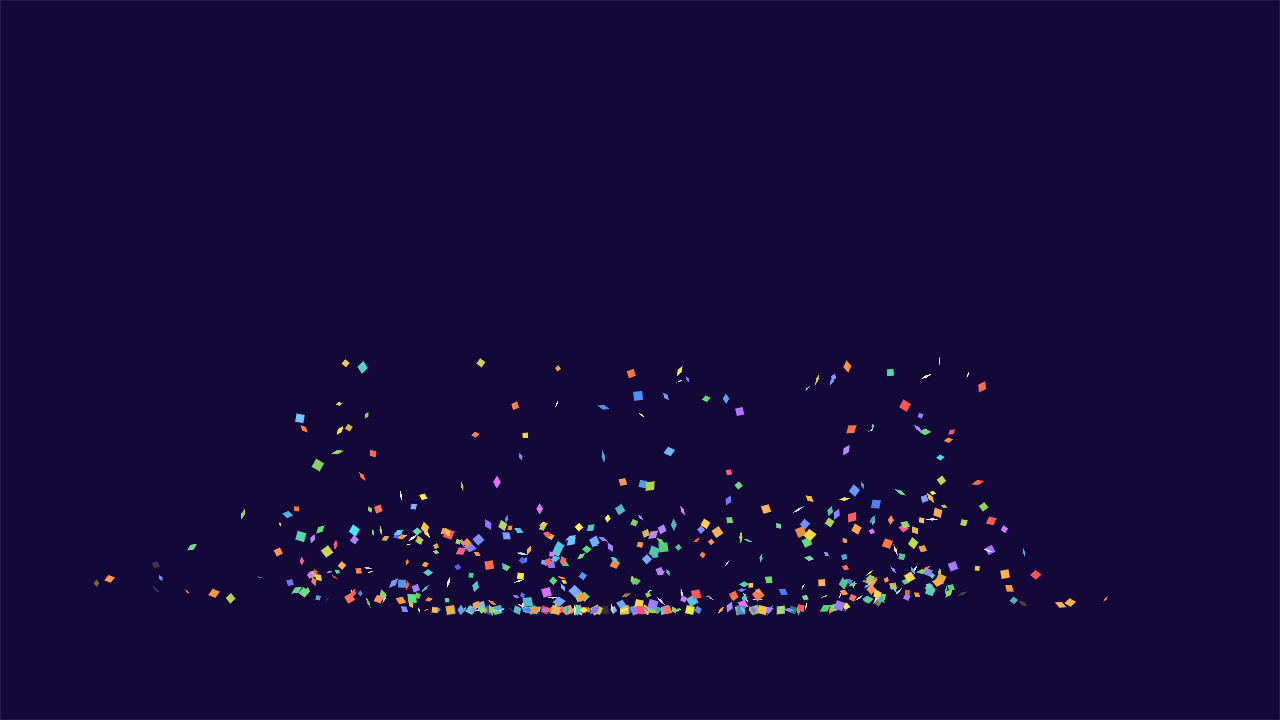
- Palette — each particle keeps one color dealt from anywhere along the gradient. The confetti mode.
Hue Random rotates each particle’s hue around the gradient by up to ±180° — what turns one orange into fire’s whole ember range. The Life group (Life, Life Random), Scale group (Size, Size Random, Size End — smoke grows past 100%, fire dies down toward 40%) and fades (Fade In, Fade Out, as percentages of each particle’s life) shape the lifecycle. The Turn group adds Rotation, Spin (deg/s — with Spin Random at 100 some particles counter-rotate, which is most of what makes confetti read as paper) and Tumble — face-on/edge-on oscillations that make flat things glint as they fall; on glow glyphs it becomes a brightness pulse instead (that is the firefly).
Align to Motion points every particle along its own path — streaks, sparks and falling leaves want it; drifting dust doesn’t.
Motion tab — the air and the ground
Forces: Gravity (px/s², negative rises — ~500 reads as real weight), Wind + Wind Dir, and Drag — air resistance. At 0 it’s a vacuum; at 2, launch speed is mostly gone in half a second and gravity settles into a drift, which is what separates embers from bullets.
Air: Turbulence (displacement strength) with Turb Scale (feature size — big is weather, small is jitter), Turb Speed (how fast the field itself churns), Air Detail (1 octave is a smooth wander, 3–4 is ragged smoke), and Swirl — degrees per second the whole field orbits the emitter. Magic and portal energy live here.
Floor: a real floor to land on, dragged as a line in the viewport. Bounce is how much speed survives a hit (0 is wet clay, ~55 reads as paper and hail, 90 is a rubber ball); Friction eats sideways speed so confetti skids to a stop instead of sliding off frame. One honest trade, stated in the panel: while the floor is on, Drag is ignored — bounces are ballistic.
Pull + the Attractor point: an exponential pull toward (or push away from) a draggable point. Combine Pull with Swirl and you have a vortex — everything spirals in. That’s exactly what the Vortex preset is.
Trails tab — the firework anatomy
Each particle can shed a trail of sub-particles: Shed Rate (0 is off), Trail Life, Trail Size (as % of the parent), Scatter, and Trail Grav — gravity on the trail motes alone, which is how a falling ember trail hangs behind a rising rocket. A burst plus trails is a firework; a glow plus trails is a comet. In the Fireworks preset, each star keeps one dealt palette color and its whole ember trail inherits it — exactly what a real shell does.
Look tab — the finish
Streak motion-smears each glyph as a multiple of its true per-frame travel (1 is a 180° shutter). Softness feathers edges as a percentage of radius. Add Light composites additively — fire, sparks and magic need it on; smoke and confetti need it off. On Transparent (on by default) outputs the particles alone, discarding the host layer’s pixels — the “element over a shot” mode. Animate On holds the whole system on ones, twos or threes, so particles can pop like drawn work over a cel character. Seed re-deals every random draw — same seed, same pixels, forever. Max Alive is an honest ceiling: when the emitter asks for more, the field is thinned uniformly across all ages rather than truncated, so it never reads as the emitter dying.
Recipe — sparkles off a title. Draw or type your title. Add Particles to it, set Emitter Shape to Layer Outline → This Layer, Emit to Outward, pick the Star glyph, Rate ~40, Velocity ~60, Life ~1s. The letters themselves shed light.
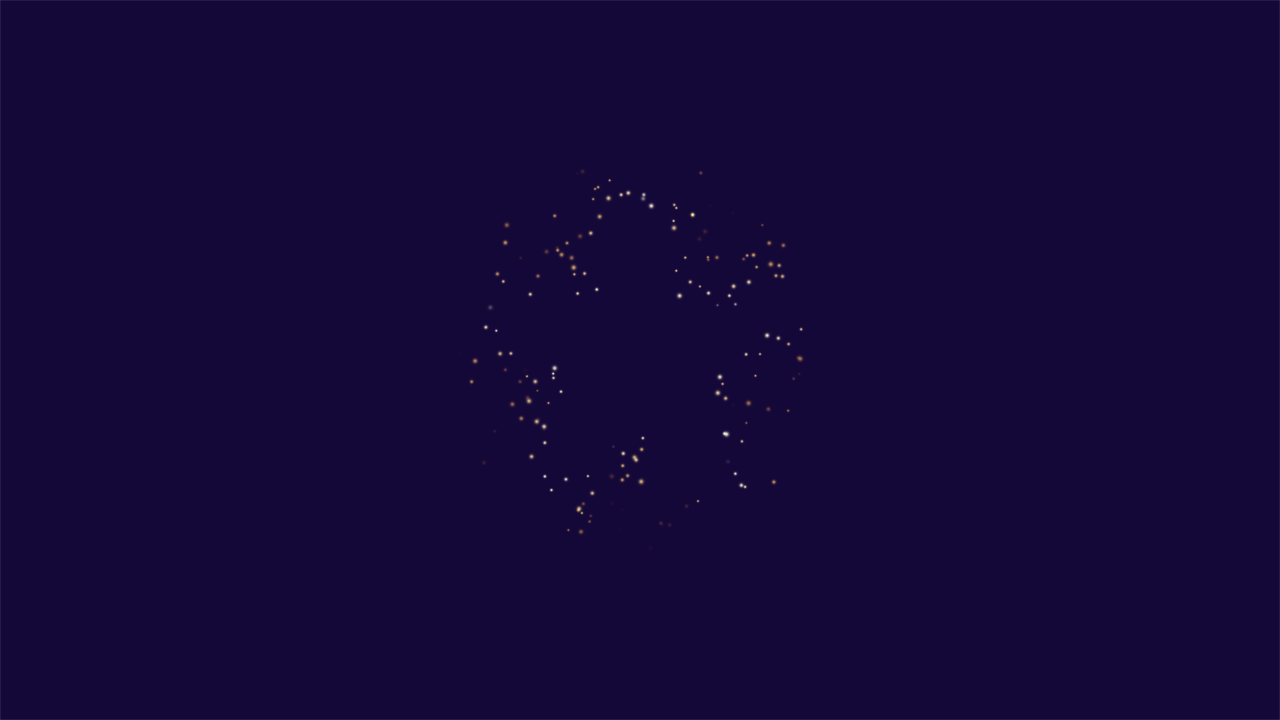
Recipe — a firework. Start from the Firework Burst preset (one shell: an even ring of stars — that evenness is what reads as a firework instead of a pop). Want the full display? Fireworks layers several shells with palette-colored trails. Keyframe nothing; move Burst Time to when you want it.
Performance
Cost scales with what’s alive: Rate × Life, plus trails. The Max Alive ceiling (default 10,000) is your budget dial; turbulence octaves above 2 are the other lever. Everything renders at interactive rates in the comps these presets ship with.