Effects
Stylize & finish
Glow, Drop Shadow, Echo, Noise, and the blur & sharpen pair — the finishing rack, deeper than its labels suggest.
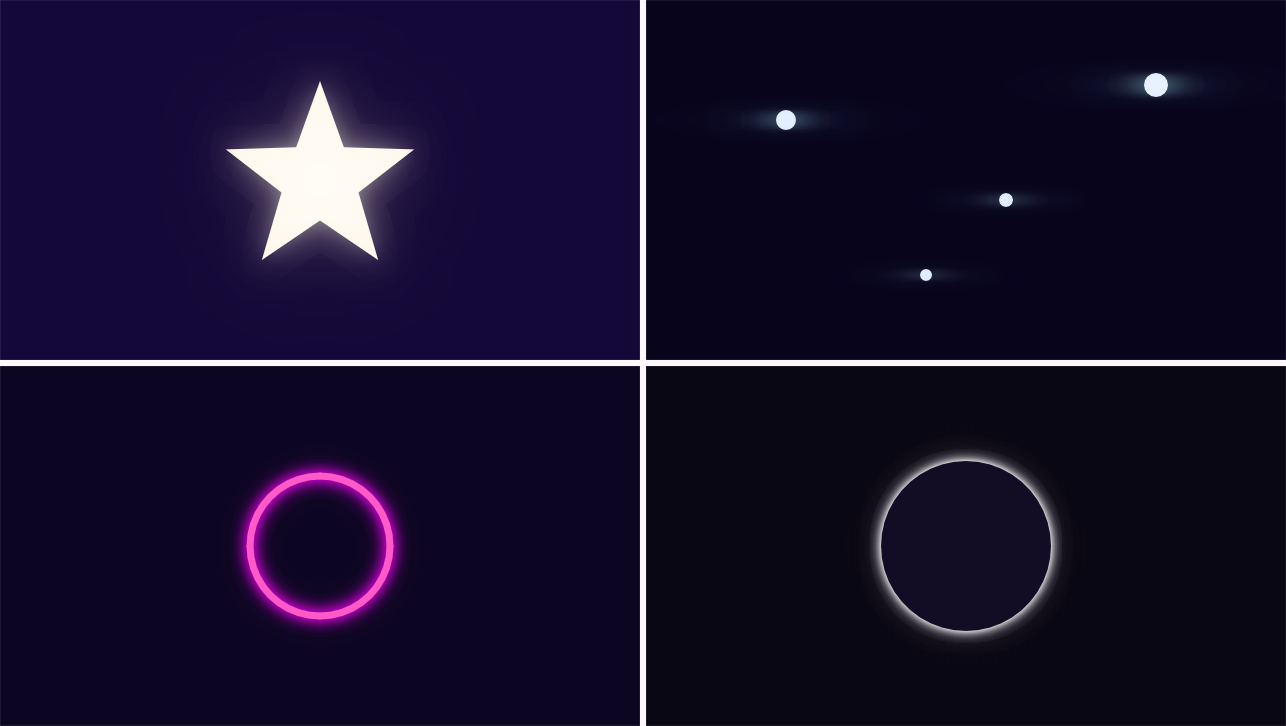
The finishing effects. Several of these look like one-knob tools and aren’t — Glow in particular is a small lighting department.
Glow
Eight dials and three choices, because what separates a lens bloom from a neon tube from atmospheric haze isn’t how much — it’s the shape of the falloff, the axis it spreads along, and above all whether the glow sits on top of the thing making it or behind it.
Composite comes first because it decides whether the glow is even allowed to touch its source:
- On Top — the bloom over the layer. The default, and the single most common reason a glow looks wrong: it washes out the very letterform making it.
- Behind — the layer over the bloom, so the halo spills around the silhouette and the lamp, logo or lettering stays exactly as drawn. This is the one text wants.
- Glow Only — the light alone on transparency, for grading the glow as its own pass.
Source picks what the glow reads: Luminance (the bright bits — the classic), Alpha (the silhouette — a dark logo on a dark card has no highlights, but it still has a shape; this is the rim-light mode), or a single Red/Green/Blue channel — bloom the tail lights and leave the blue night alone.
Operator (shown only On Top) sets how the light lands: Screen (approaches white, never clips), Add (hotter, does blow out — the point, for something too bright to look at), Lighten (can only brighten, never tint — colours survive inside their own halo), Color Dodge (the blowout accelerates — blown practicals, anamorphic hits).
Then the dials: Threshold + Softness (a hard cutoff bands — and worse, crawls on moving footage as pixels pop across it; softness eases the glow in), Radius, Intensity, Spread (low = a hard core with almost no halo — a neon tube; high = no core, all atmosphere — fog), Aspect (negative spreads the bloom sideways only — the anamorphic streak off every bright practical in every night exterior ever shot), Saturation (past 100 the halo is more saturated than its source, which is what a real lens does with a coloured practical), and the tint Color.
Eight presets cover the map: Soft Bloom, Anamorphic Streak, Neon Sign, Rim Light, Atmospheric Haze, Blown Practical, Bloom Pass Only, Hot Red Channel.
Drop Shadow
The classic: Color, Opacity, Angle, Distance, Softness. The shadow is a tinted, blurred silhouette of the layer’s own alpha, drawn behind the original — so the layer always stays visually in front of its own shadow.
Echo
Motion trails — copies of the layer from previous frames composited behind the current one. Number of Echoes, Frame Spacing, Decay — and two controls that turn it from a trail into a family of looks:
Operator decides what the same numbers mean: Over stacks fading ghosts (the classic), Add sums the light so fast movement leaves a streak rather than a queue, Screen does that without clipping to white, Maximum keeps the brightest value ever seen per pixel — a light-painting still out of moving footage — and Minimum keeps the darkest, so the trail reads as shadow on a pale background.
Direction decides which frames get combined. Behind trails where the subject has been — momentum, and what an echo has always meant. Ahead reaches the other way, so the smear arrives before the subject does: that’s how a fast move gets telegraphed a beat early. Both puts Number of Echoes on each side at once — the classic symmetric ghost, with no direction of travel at all. After Effects splits that across two separate effects; here it’s one dropdown.
Intensity is the current frame’s own weight. Below 100 the subject fades along with its trail — which is how you get a shot that is only trails.
Each echo copy uses the layer’s position and opacity as they were on that frame — trails genuinely trail — and effects placed above Echo in the stack are applied to every copy too. Six presets: Motion Trail, Light Streak, Neon Smear, Long Exposure, Trails Only, Ink Wake.
Noise
Grain over what’s already there (its generating sibling, Fractal Noise, lives with the generators). What separates 35mm from VHS from a dead sensor is not the amount — it’s these:
- Type — the distribution: Uniform (harsh and even — video static), Gaussian (bell-shaped, like real emulsion and sensors — the reason Uniform reads as “computer” beside it), Salt & Pepper (sparse full-swing impulses — dust, dead pixels; Amount becomes how many pixels get hit), Speckle (multiplies instead of adding, so it dies in the blacks and roars in the highlights).
- Size — one speck in pixels. 1 is digital fizz; real film grain is 2–4 at 1080p, and this single number is most of what separates “video noise” from “film.”
- Stretch — wide grain lying along the scanlines is the whole VHS look; tall reads as rain and scratched negative.
- Response — flat hits every pixel equally; film response peaks in the midtones and dies in pure black and white, the way emulsion does. This is the control that makes grain sit in a picture instead of on it.
- Speed — how often the grain re-rolls. 100 boils; 0 freezes it into a still texture, which is what paper and print want.
- Plus Softness, Color (mono film grain → per-channel colour fizz), a Clip switch (off, blown values fold back through black — a real look, not a bug), and Grain Alpha for fizzing the layer’s edges too.
Thirteen presets in four families: Film (35mm, 16mm, Super 8, Print Stipple), Video (Video Static, VHS Streak, Camcorder Chroma, Low Light Sensor), Damage (Dust & Sparkle, Heavy Damage, Rain Streaks, Solarized Blowout) and Just Enough — barely there, breaks up gradient banding without reading as grain at all.
Gaussian Blur
One radius — plus the two dials that make it a family. Aspect blurs sideways only (negative) or vertically only (positive): streaks, smears, and every oval between. Blend Original lays the sharp picture back over the blur — at ~60 that’s a diffusion filter: soft halation with the detail still there, a different and far more used look than a blur. Repeat Edge Pixels stops full-frame footage fading out at its own border. Five presets: Soft Focus, Horizontal Streak, Vertical Smear, Dreamy Bloom, Full Defocus.
Unsharp Mask
The standard sharpener: pushes each pixel away from its own blurred version, exaggerating local contrast. Amount, Radius, and Threshold — differences smaller than the threshold aren’t touched, which keeps smooth areas and grain from being sharpened into crunch.
Recipe — believable neon. Type your sign, give the text its tube colour, then Glow with the Neon Sign preset — a tight saturated core, composited Behind, so the tube stays a crisp drawn line and only the halo spills onto the wall.
Recipe — film finish in two effects. On an adjustment layer over the finished scene: Noise → 35mm Film Grain, then Gaussian Blur → Soft Focus. Grain that sits in the midtones plus gentle halation — rendered frames stop looking rendered.